
How ChiefAssist works in Shopify
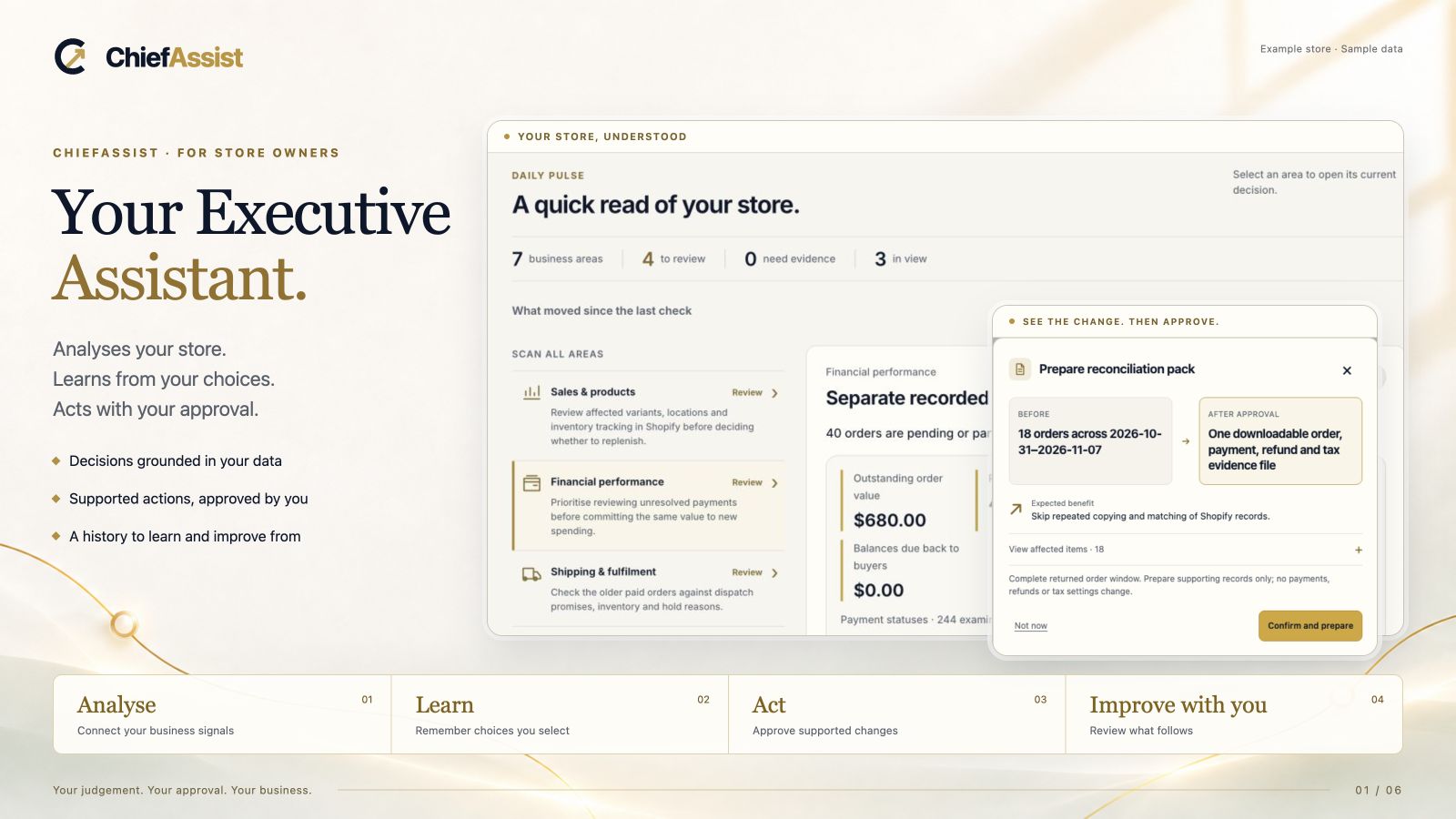
See how ChiefAssist finds a useful next step, shows exactly what will change and carries out a supported action after your approval. Explore the example decision, approval and recorded result below, using fictional Example Goods data.
All current features are included in the US$99 membership, billed every 30 days, for the verified store owner. Explore the decision-to-action walkthrough.
ChiefAssist overview
Five distinct views help you understand the business, choose a next step and review what followed. Supported actions show their exact scope before you approve.
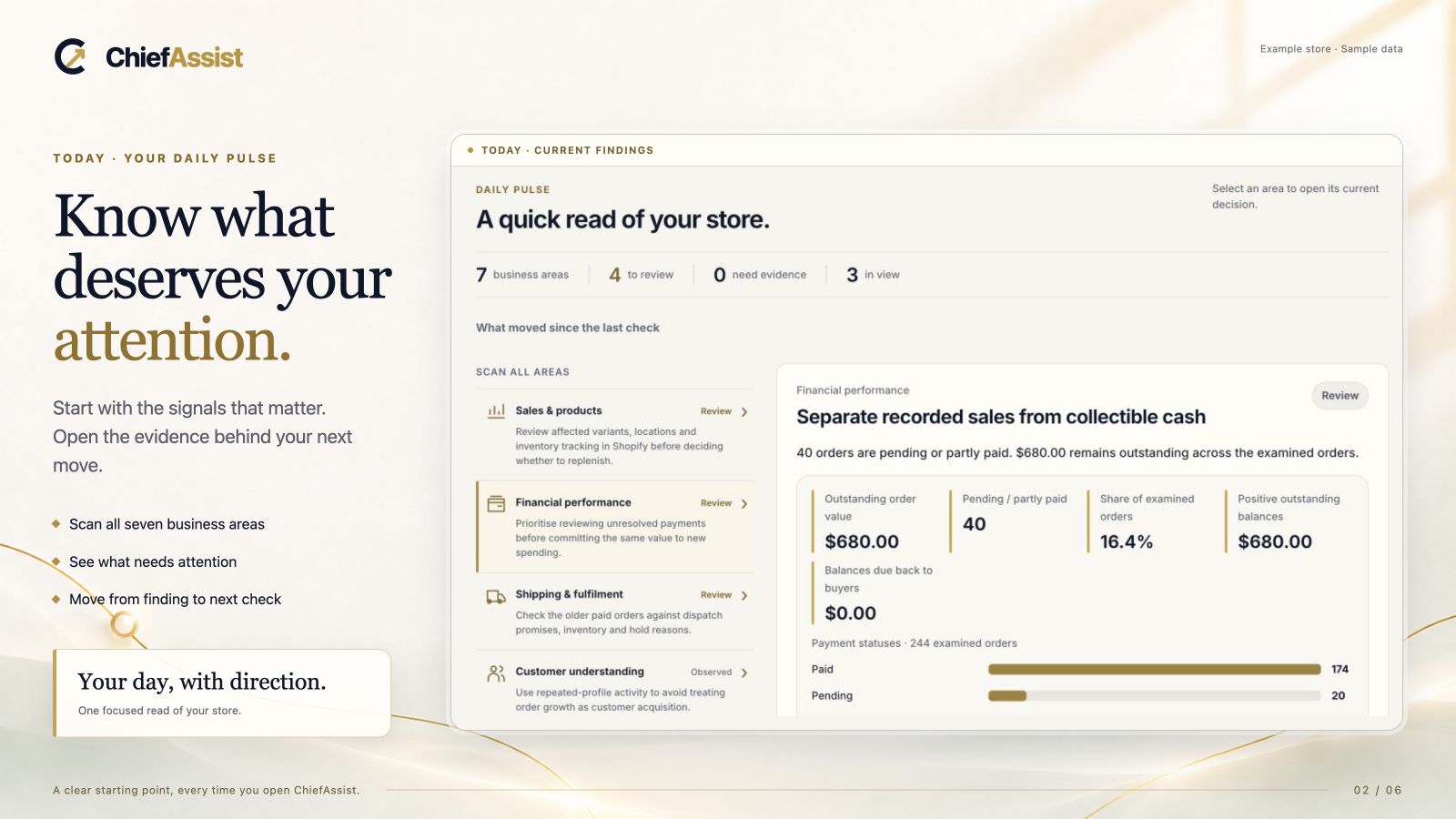
Today
Start with your daily business pulse. Scan seven areas and open a finding for its evidence and relevant next steps.
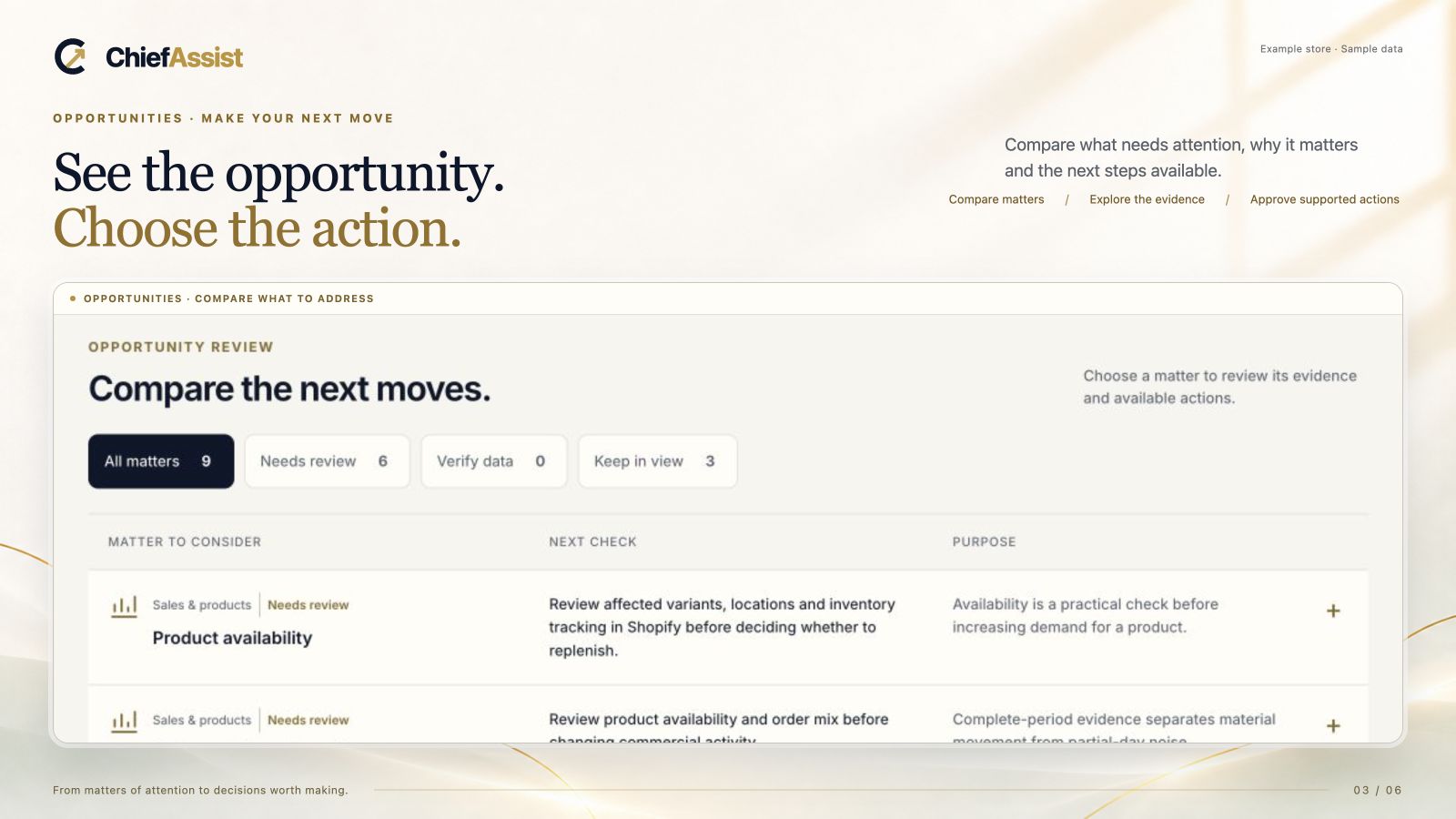
Opportunities
Compare matters of attention, filter the list and expand one finding. Review its purpose, supporting evidence and available next step. Supported actions still require your approval.
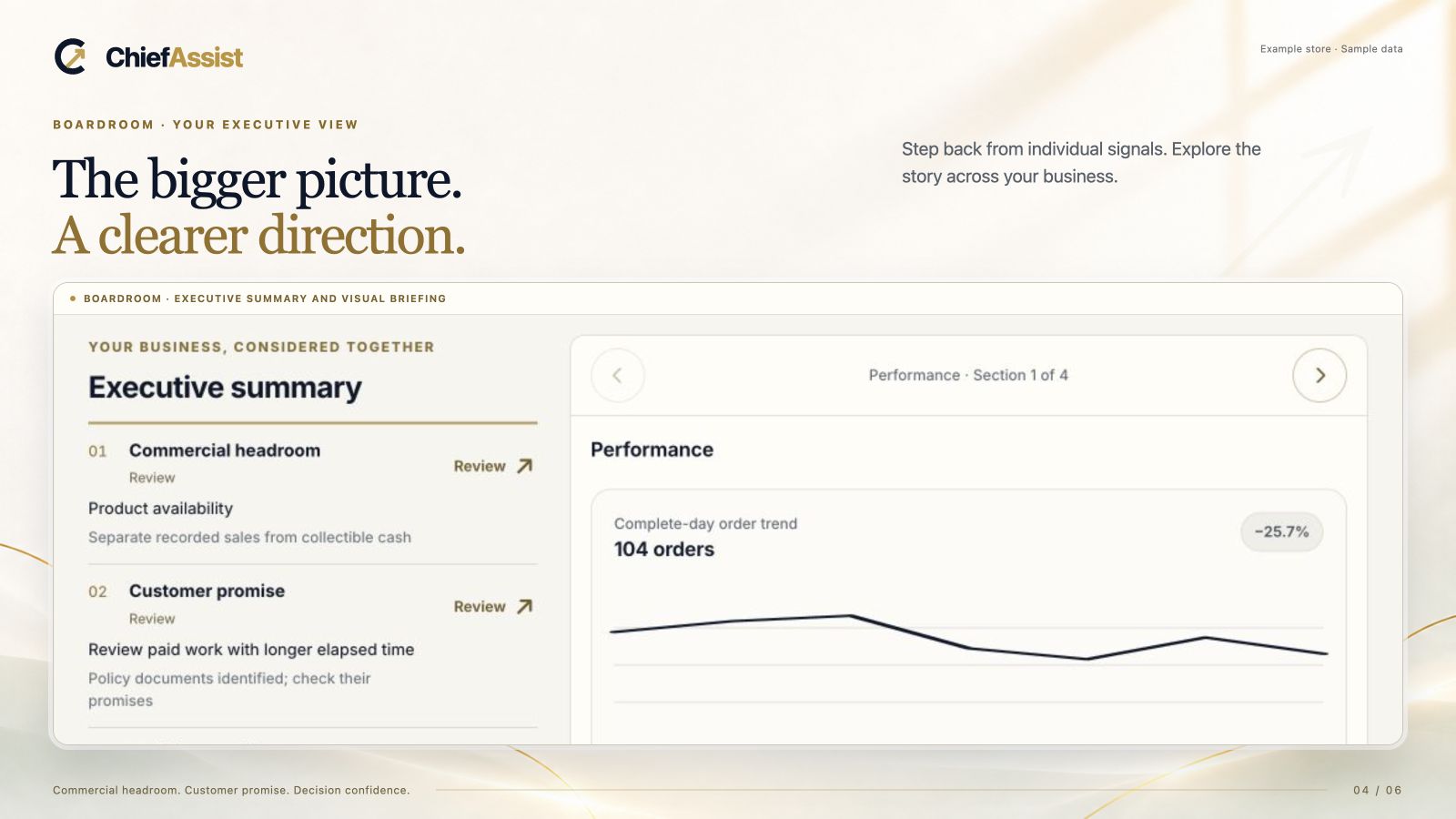
Boardroom
Bring the bigger picture into focus: an executive brief sits beside the visual business review. Move through performance, coverage, direction and priority; open the underlying area evidence when needed.
Journey
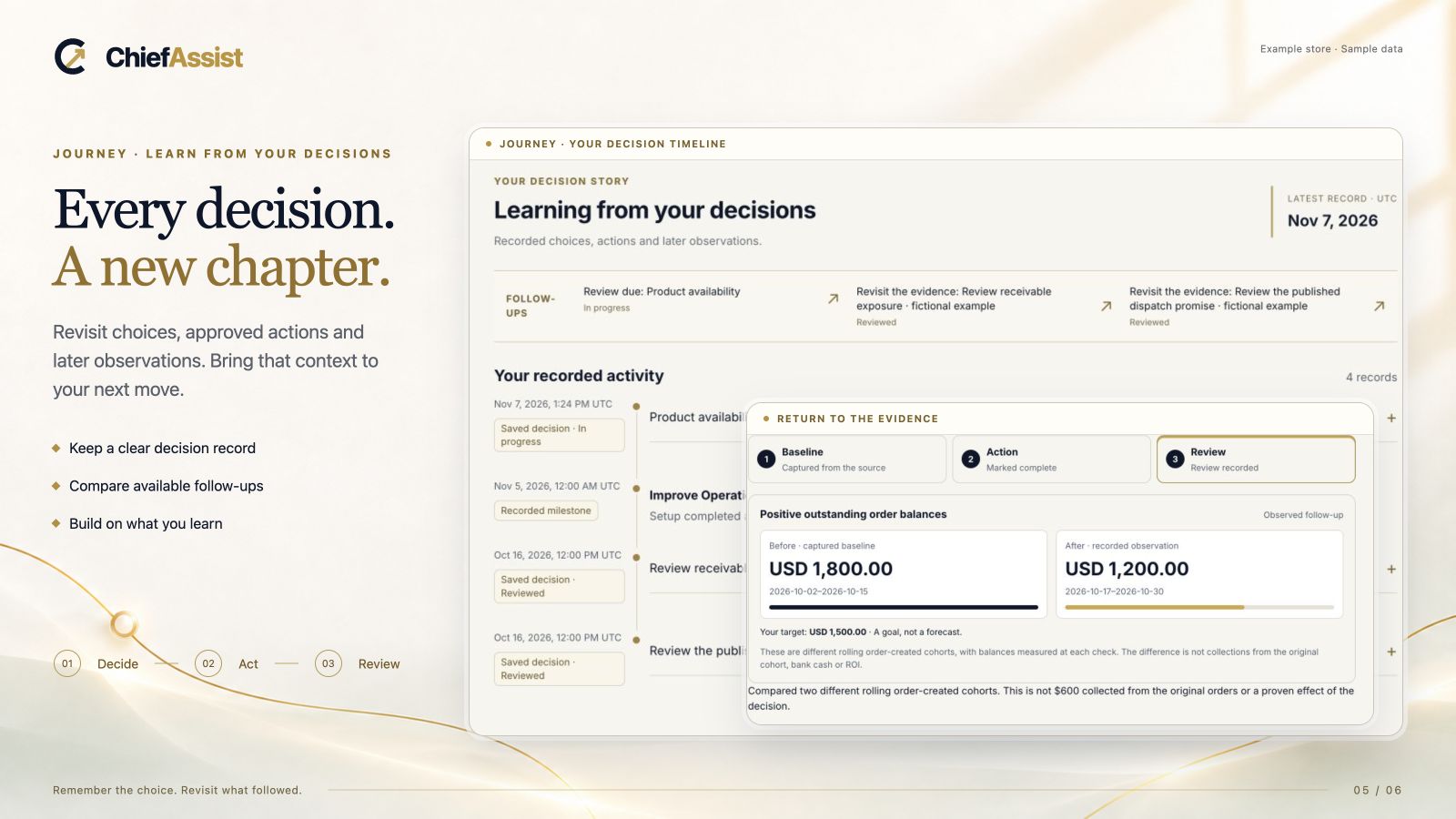
Follow your dated decision story, revisit a saved choice and compare available observations. Owner-reported choices, verified actions and measured follow-ups keep their distinct labels.
Ask ChiefAssist
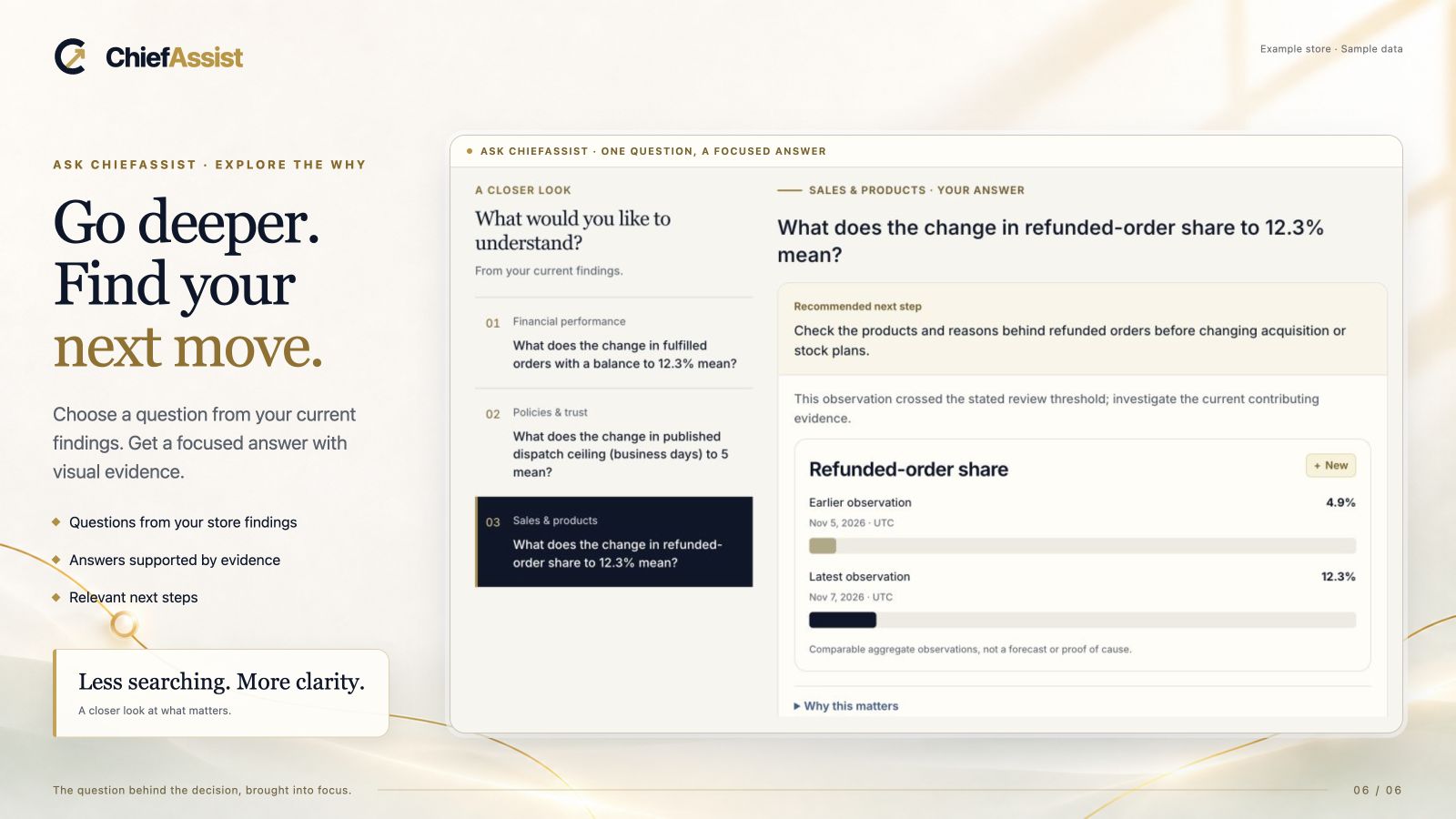
Choose a question from your store’s findings. Read the focused answer beside it, with a recommended next step and visual evidence. Extra context stays optional.
Why can a fulfilled Shopify order still need payment follow-up?
Fulfilment records the work done to ship an order. Its payment balance tells you how much is still outstanding. ChiefAssist compares these fields on the same order.
- Spot the finding. Suppose a fulfilled order still shows $120 outstanding. If the order falls within the period ChiefAssist examined, the financial performance finding in Today counts it.
- Check the Shopify record. Open Orders in Shopify Admin and review the payment status, transactions and terms on the order. Payment may still be within its agreed terms.
- Choose a next step. If payment is due, arrange a follow-up. If payment has just arrived, check whether the order record reflects it.
The amount is illustrative. A balance recorded on an order alone cannot establish whether money has settled in your bank. Shopify’s guide to filtering orders explains how to narrow the order list by payment and fulfilment status.